Configuring Report Templates in Web Report Designer
| Minimum Version: | Q4 2025 |
|---|
The Web Report Designer lets you create report templates that simplify and streamline the report creation process. A report template is a reusable design that defines the layout, styling, and data structure of a report.
To control how application users utilize templates, developers can configure specific folders for storing report templates and manage user access to these folders.
Configure Report Templates Folder
All report templates are stored in a specific Report Templates folder. A default folder will be created at root level of your project. You can also navigate to a specific custom folder (or custom storage) that contains all the report templates you wish to use.
The ReportDesignerServiceConfiguration class provides a configuration setting for specifying the TemplateDefinitionStorage. Thus, you can navigate to a specific folder that stores all report templates:
services.TryAddSingleton<IReportDesignerServiceConfiguration>(sp => new ReportDesignerServiceConfiguration
{
    TemplateDefinitionStorage = new FileTemplateDefinitionStorage("templates_folder_path", new[] { "sub_folder_to_exclude" }),
});
Report templates (.trtx files) can be stored only in the configured
Report Templatesfolder. Other file formats are not allowed in the folder.
Managing Permissions
To restrict specific actions or features for users on the client side, for example, to limit access to the Report Templates folder, use the DeniedPermissions setting of the ReportDesignerServiceConfiguration. This setting allows developers to customize the designer experience by disabling certain tools, components, or capabilities based on application logic or user roles.
services.TryAddSingleton<IReportDesignerServiceConfiguration>(sp => new ReportDesignerServiceConfiguration
{
    DeniedPermissions = ReportDesignerPermissionsBuilder.Build(
        Permission.Commands_AssetsManager_ReportTemplates
        )
}));
You can override the
GetDeniedPermissionsmethod in your custom implementation of the reporting service and apply different restrictions based on the currently logged-in user or other conditions.
Allowed Operations for Restricted Users
services.TryAddSingleton<IReportDesignerServiceConfiguration>(sp => new ReportDesignerServiceConfiguration
{
    DeniedPermissions = ReportDesignerPermissionsBuilder.Build(
        Permission.Commands_AssetsManager_ReportTemplates
        )
}));
Once the end-user is not granted permissions for the Report Templates, the following actions are available:
-
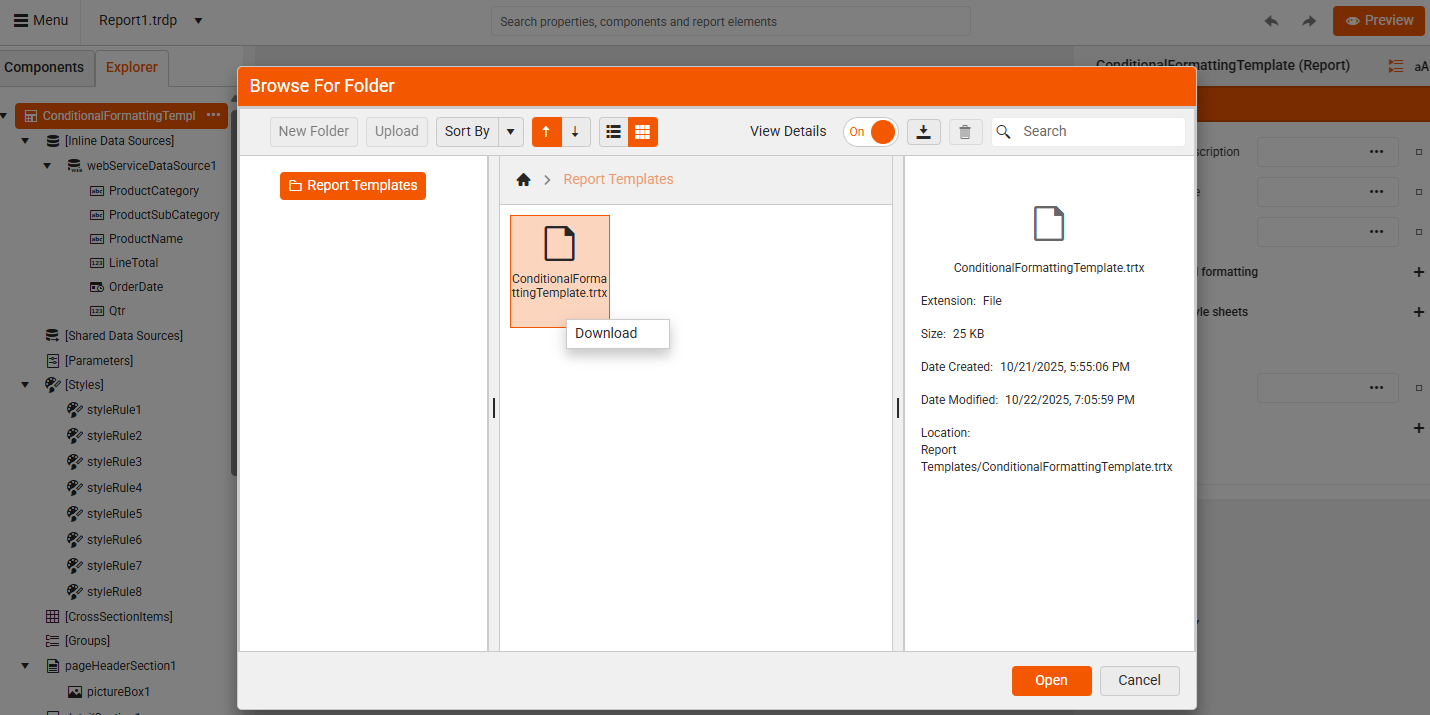
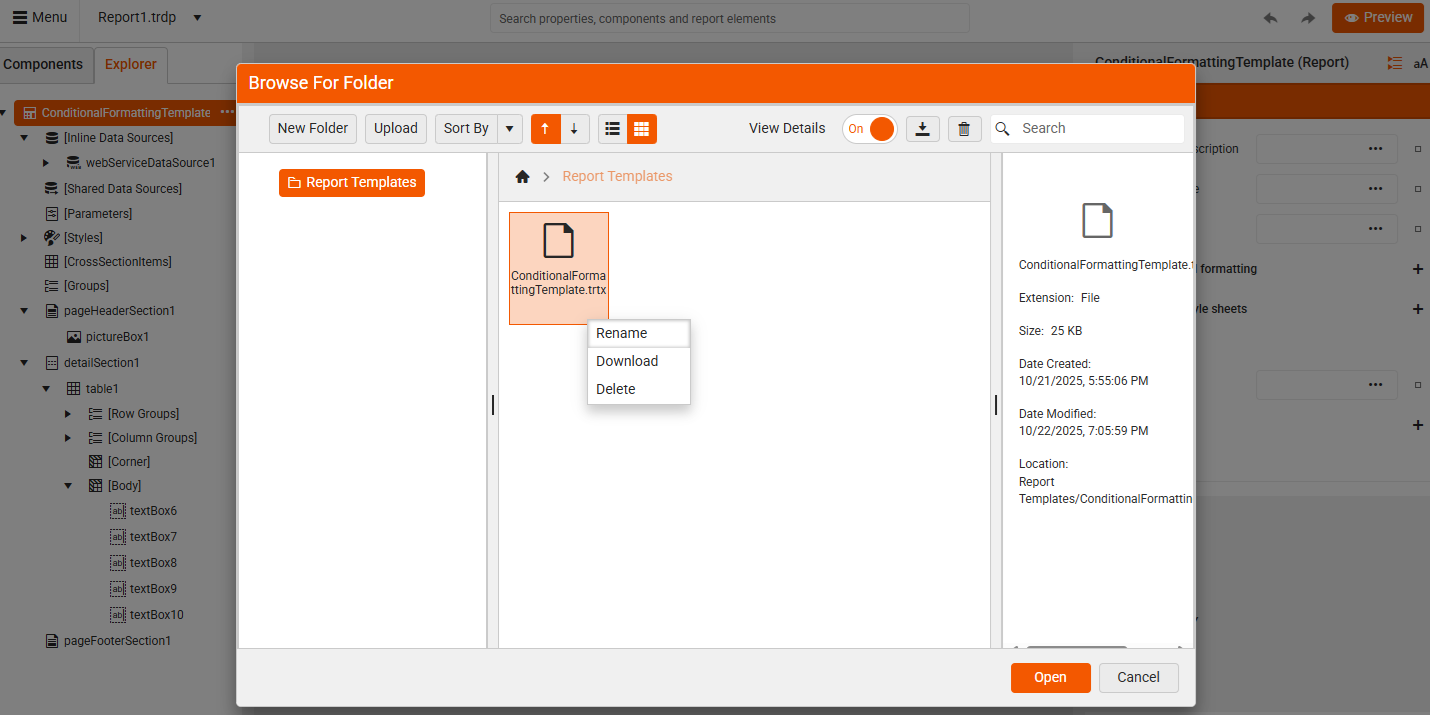
Create a New Report from a Template - The From Template option remains visible even when the user lacks permissions to manage templates. In this restricted mode:
- Users cannot create or upload new templates.
- Users cannot delete or edit existing templates.
- Users can still create new reports using the available templates.
Restricted User
Default User
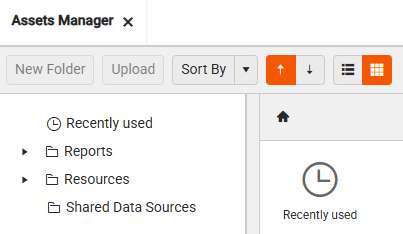
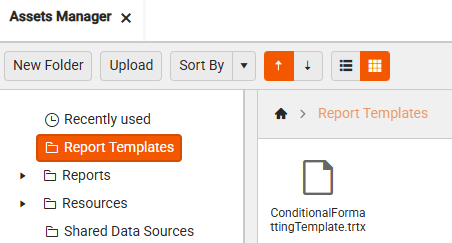
- Opening the Assets manager - When a restricted user opens the Assets Manager, the
Report Templatesfolder is invisible and inaccessible:
| Restricted User | Default User |
|---|---|
 |
 |
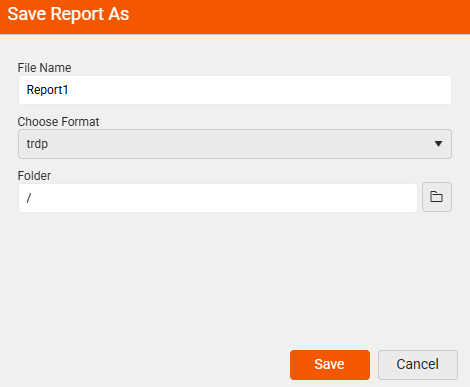
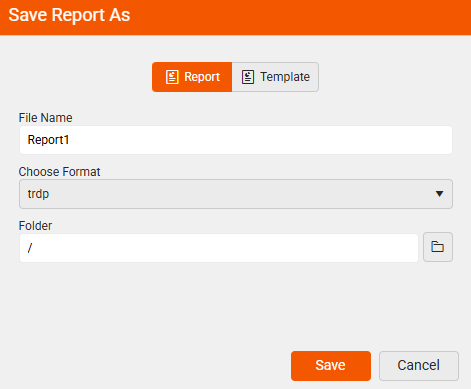
- Save Report As - The restricted end-user can only save as a Report. The option for saving as a Template is hidden.
| Restricted User | Default User |
|---|---|
 |
 |