How to Submit a Bug to TFS with Custom Fields
Currently Test Studio does not support specifying custom fields through the UI when submitting a bug to TFS. If your customized TFS environment denotes certain fields as required before saving, you'll encounter an error when submitting a bug through Test Studio. Here's how to work-around this limitation:
1. Submit a bug to TFS through Test Studio. If it fails, you'll receive an error like this:
*Unable to submit bug to Team Foundation Server. Error:*
*BugTrackingName has an invalid value of NULL.*
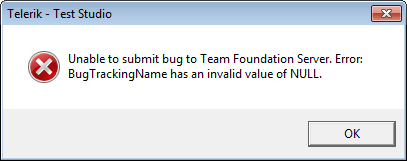
Where BugTrackingName is the name of the required field and NULL is its current (and invalid) value.
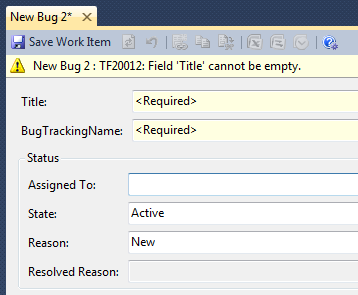
2. You should be able to confirm the required field by creating a bug directly in TFS and noting the required fields. Title and Description are automatically handled by Test Studio.
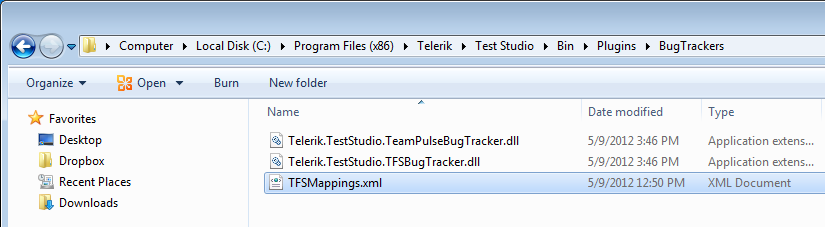
3. To denote your required fields and what to fill them with, create a file called TFSMappings.xml in the following directory:
- For version 2012.2.920 and later: C:\Program Files (x86)\Progress\Test Studio\Bin\Plugins
- For versions before 2012.2.920: C:\Program Files (x86)\Progress\Test Studio\Bin\Plugins\BugTrackers
4. Open it with a text editor, like Notepad, and insert the following content:
<?xml version="1.0" encoding="utf-8"?>
<TFSMappings xmlns:xsi="http://www.w3.org/2001/XMLSchema-instance" xmlns:xsd="http://www.w3.org/2001/XMLSchema">
  <TemplateName>BugNew1</TemplateName>
  <Fields>
    <FieldMapping>
      <FieldName>BugTrackingName</FieldName>
      <FieldValue>NewName</FieldValue>
    </FieldMapping>
  </Fields>
</TFSMappings>
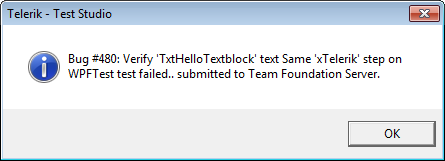
5. Submit the bug once again through Test Studio. It should succeed:
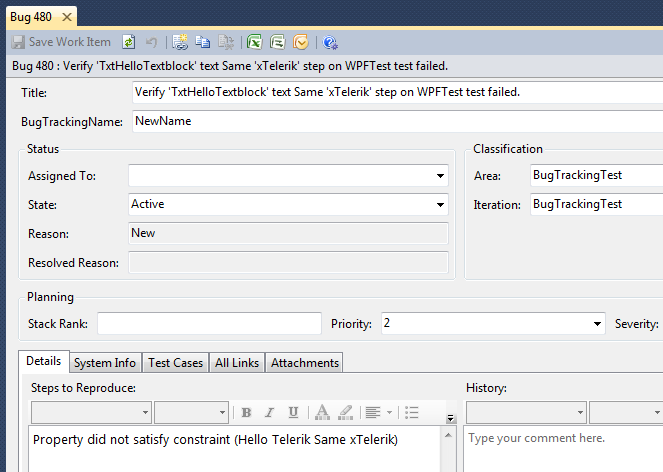
6. Open the bug in TFS and note the required field was filled in based on the XML file: