Creating and Using Report Templates in Web Report Designer
| Minimum Version: | Q4 2025 |
|---|
A report template is a reusable design that defines the layout, styling, and data structure of a report. It allows report designers to create consistent and professional-looking reports without starting from scratch each time.
Key Benefits
Whether you are building dashboards, invoices, or summaries, report templates help you start with a solid foundation—saving time and ensuring visual and structural consistency across your reporting projects. Using templates offers:
Increased Productivity—Templates offer a ready-made layout and structure, so you can focus on your data instead of design.
Ensure Consistency—Maintain a uniform look and feel across multiple reports - especially useful for teams or organizations.
Simplify Design for Non-Designers—Even if you're not familiar with styling or layout best practices, templates give you a polished starting point.
Customize and Reuse—Easily adapt templates to fit different projects or departments, and reuse them to stay efficient.
Support Branding—Include your company’s logo, colors, and fonts to ensure every report aligns with your brand identity.
Working with Report Templates
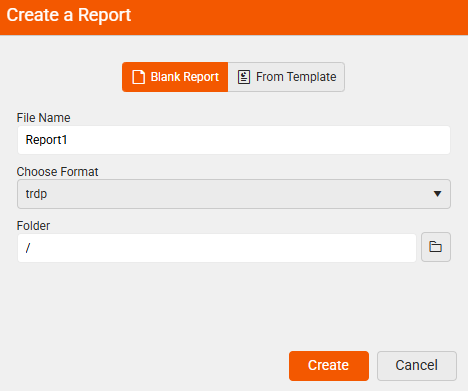
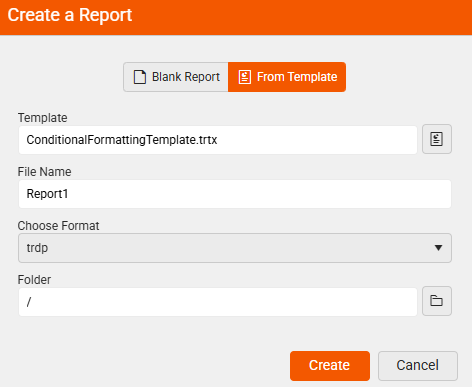
When creating a new report by clicking the New Report option in the main menu, you are presented two options:
- Beginning from scratch with a Blank Report—Gives you an empty report.
- Starting From Template (.trtx file)—Gives you a ready-made layout and structure to build on, making the report creation faster and more consistent.
| Create a Blank Report | Create From a Template |
|---|---|
 |
 |
Creating Report Templates
Create a blank report by selecting the Blank Report option.
Design the report in the Web Report Designer according to your needs.
-
Save the report as a template—This allows you or your team to reuse it for future reports.
When you wish to save the currently opened report, select the
Save As...option from the Menu: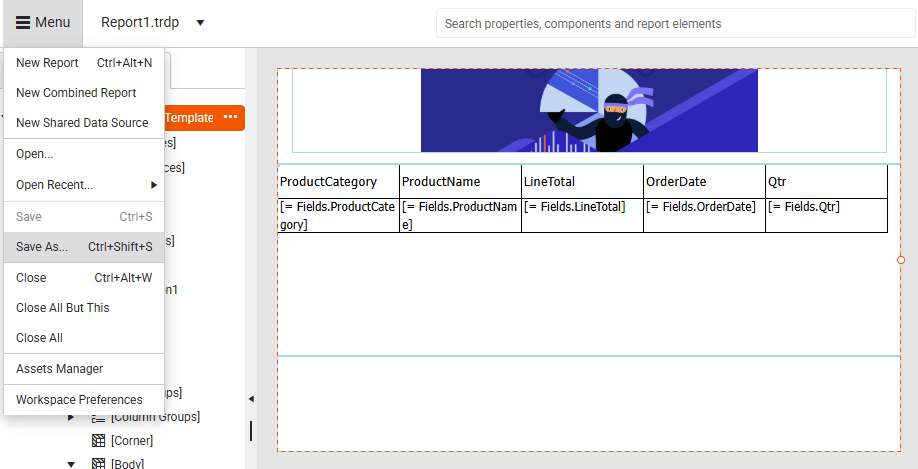
The end-user is presented the option to save the report either as a
Report(.trdp or .trdx file format), or as aTemplate(.trtx file format).Select the Template option:
Save As Report Save As Template 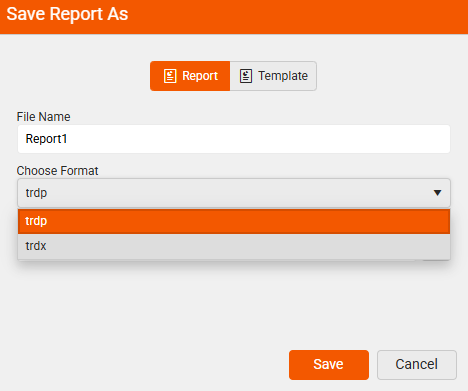

Using Report Templates
To start creating your report by using a predefined report template with a ready-to-use design, use the report template option.
-
Select the New Report option from the Menu:
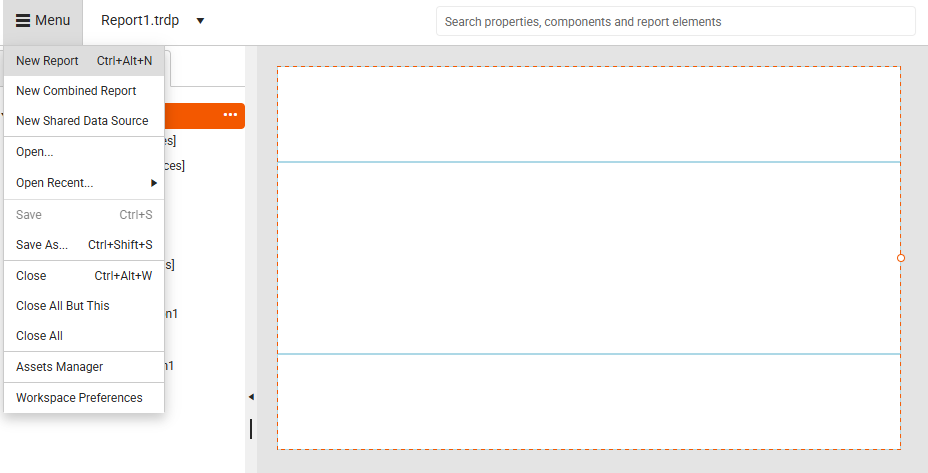
Create a report from an existing template by selecting the From Template option.
-
Navigate to the existing template (
.trtx) file—When creating a new report, you can choose a template from the available list. The designer loads the layout and styles, and you can then customize the content and data bindings.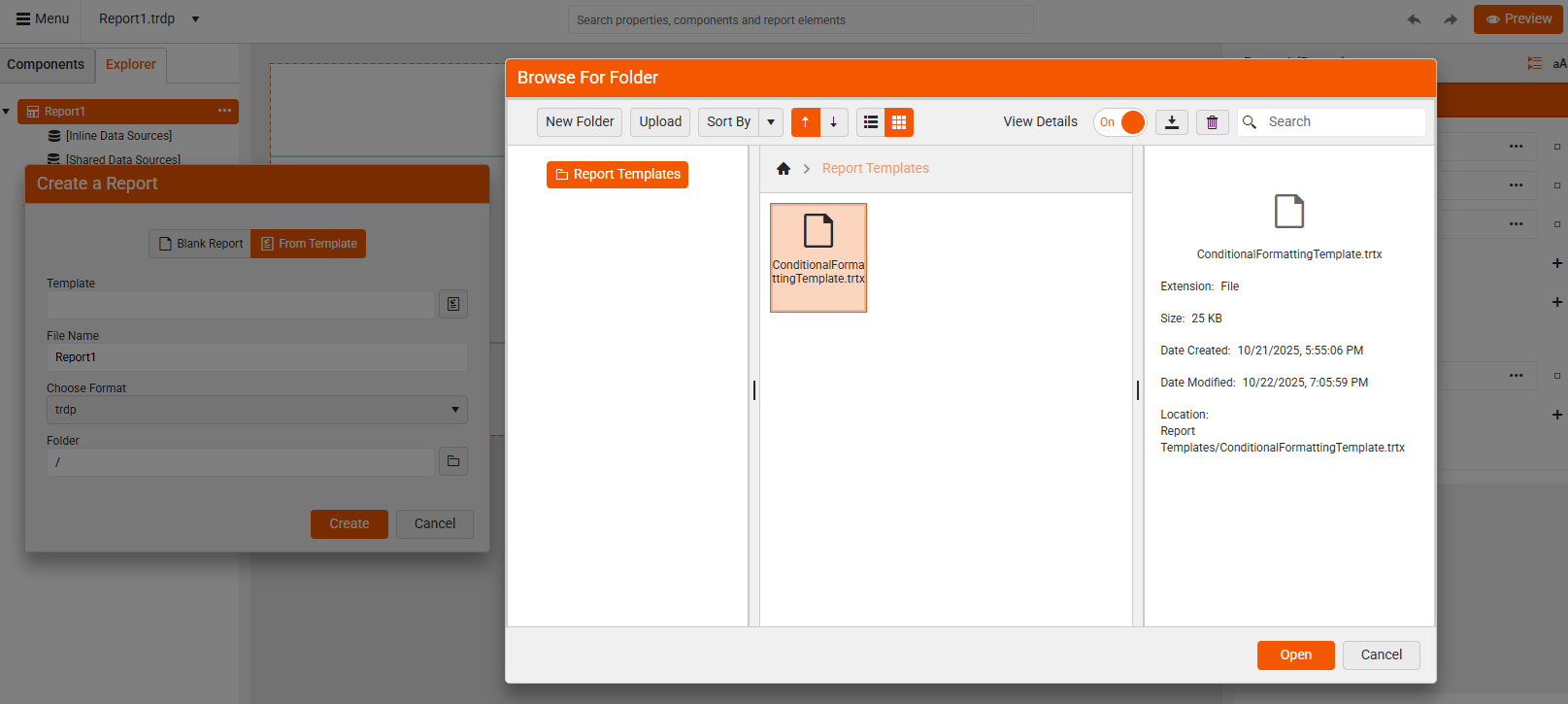
-
Enter a file name and select the format for your new report:
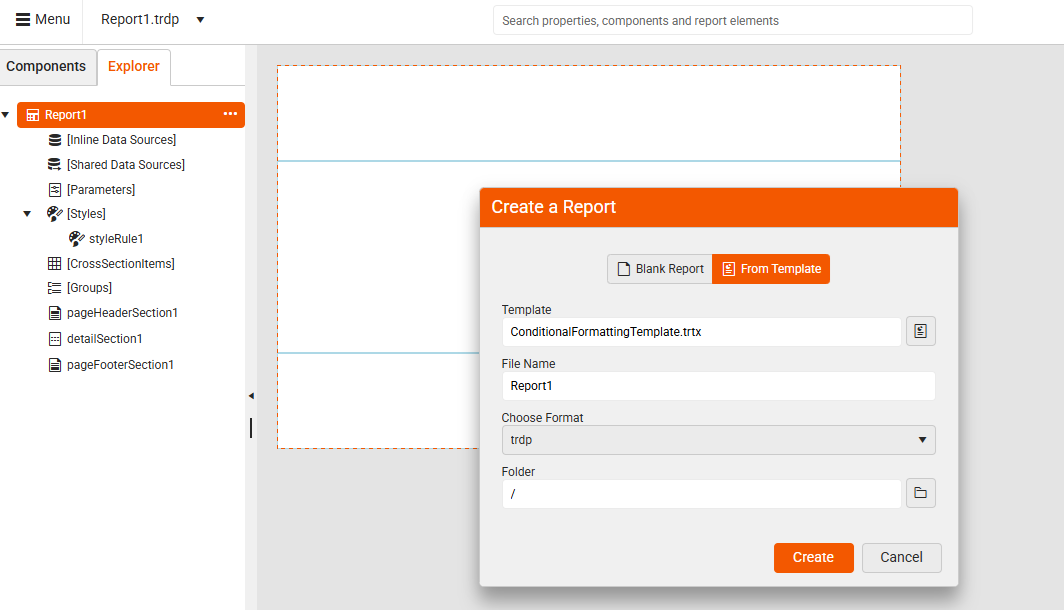
Now, you are ready to continue crafting your report loaded from a template.