Skipping Report Header Content in CSV Export
Environment
| Product | Progress® Telerik® Reporting |
| Rendering Format | CSV |
Description
I want to exclude the dynamic content of the Report Header/Footer Section from appearing in the CSV export of a report in Telerik Reporting.
Despite using the NoStaticText = true CSV device info setting, dynamic content from the report header section still appears in the CSV export.
Solution
To exclude dynamic content from the reportHeaderSection in CSV export, use one of the following methods:
Method 1: Use Value Bindings
- Configure the
NoStaticText = trueCSV device info setting. - For each
TextBoxin thereportHeaderSection, avoid direct expressions in theValueproperty. - Instead, use bindings for the
Valueproperty. For example:
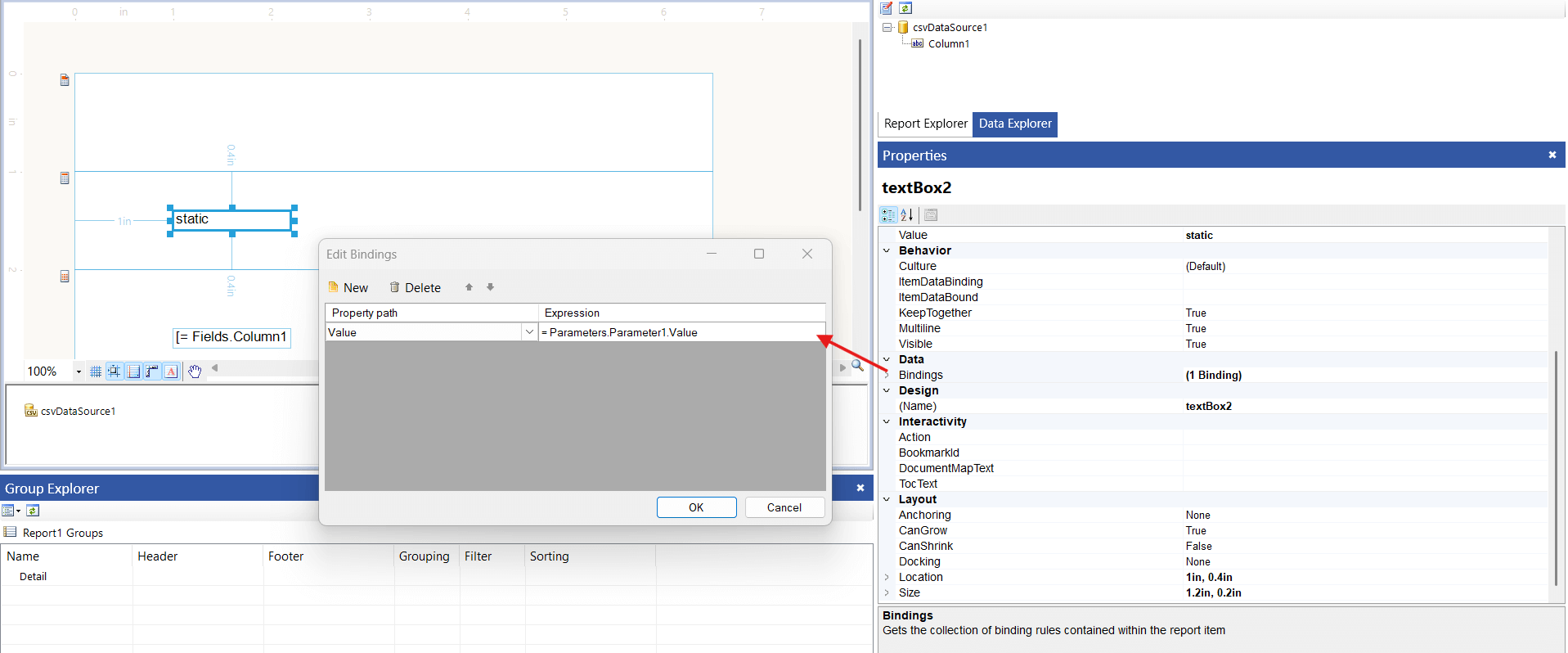
Method 2: Use Curly Braces in Expressions
Replace the = symbol at the beginning of expressions with curly braces {}, or in other words - embedded expressions. For example: Hi Mr. {Fields.LastName}, {Fields.FirstName}!.